
Core Product Tutorials
How to Read Your Market Intelligence Dashboard
The Market Intelligence Dashboard shows what your market is reacting to, how narratives are evolving, and where search demand is creating content opportunities. This is the intelligence layer that powers everything downstream in Axy.digital. Instead of generating content from generic prompts, Axy.digital uses market signals, trends, search behavior, competitor movement, and AI visibility data to suggest campaign briefs inside your workspace. From there, you can review briefs in Workspace → Proposed Briefs, click Generate, and move generated content into your Marketing Calendar.
On this page
Before you start
Make sure you have:
- Completed onboarding
- Approved your marketing strategy
- Selected competitors
- Reviewed your channel plans
- Added relevant resources to your knowledge base
- Added your website so Axy.digital can index your pages for internal linking
The dashboard becomes more useful as Axy.digital learns more about your company, market, competitors, and performance.
Step 1: Open the Market Intelligence Dashboard
From your workspace, open Market Intelligence.
The dashboard is organized around three core sections:
- Signals
- Trends
- Search
Each section helps Axy.digital understand a different part of your market. Together, they help the engine decide which campaigns are worth creating next.
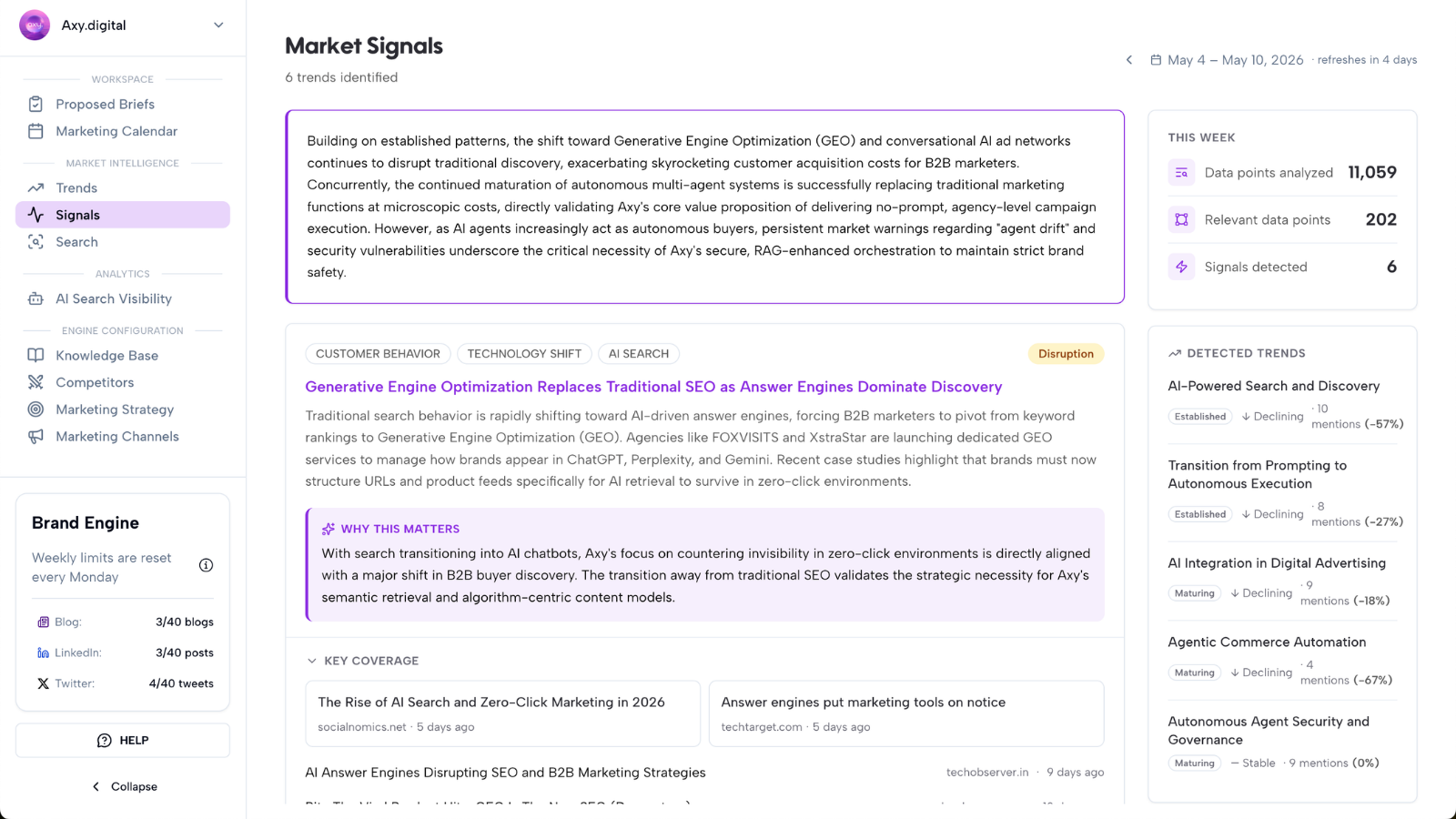
Step 2: Review Signals
The Signals section shows what your market is reacting to this week.
Signals are pulled from sources such as:
- News headlines
- Research
- X
- Competitor updates
Signals help you understand what is creating urgency, attention, or conversation in your market right now.
Examples include:
- A new regulation affecting your industry
- A competitor launching a new product
- A research report changing buyer priorities
- A topic gaining traction on LinkedIn
- A debate emerging on X
- A new customer pain point appearing in market conversations
You can also toggle to previous weeks to see how signals have evolved over time.
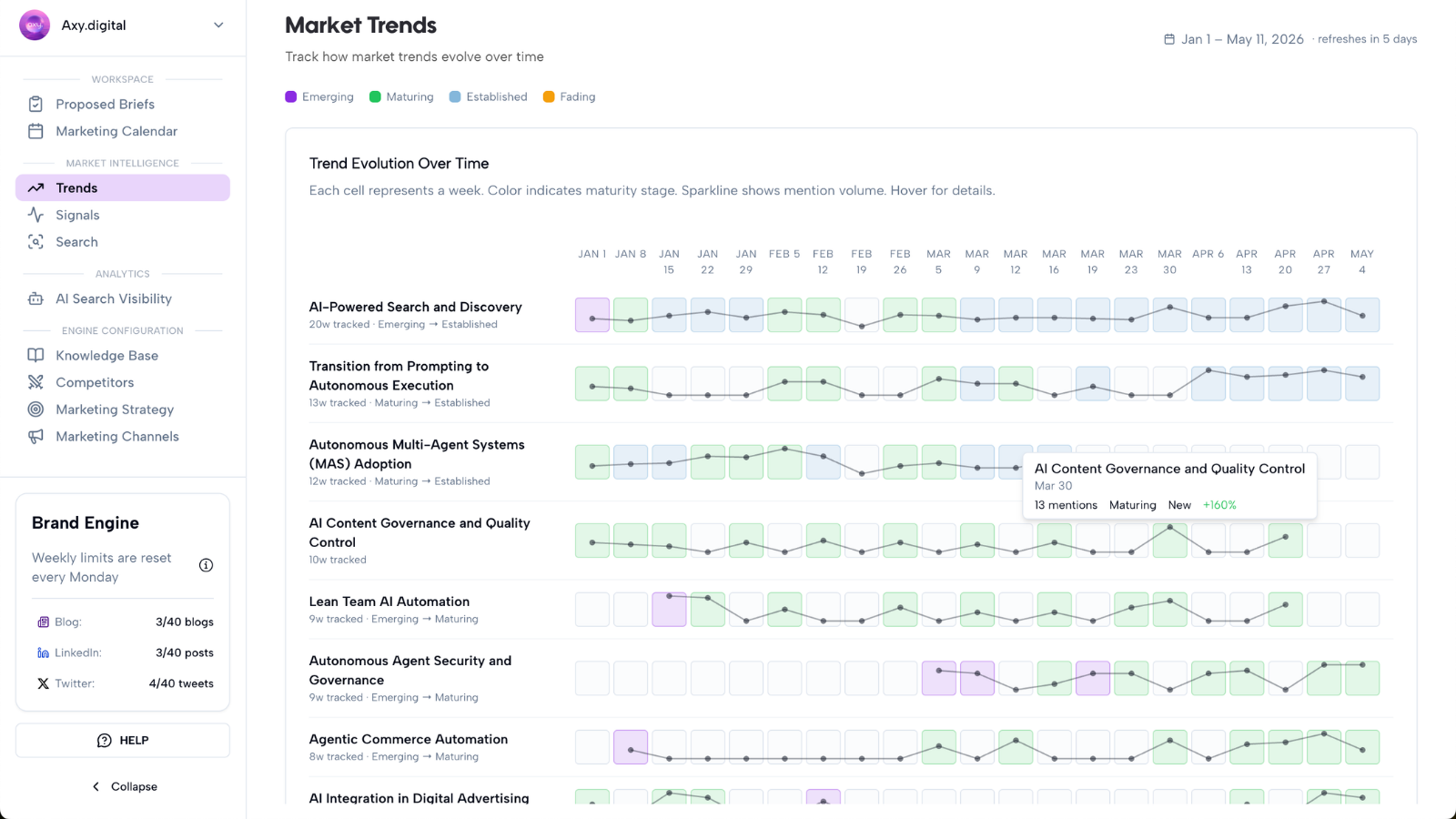
Step 3: Review Trends
The Trends section shows how topics evolve in your space.
Instead of treating every signal as a one-off event, Axy.digital helps you understand whether a topic is becoming more important over time.
Trends can help you see whether a topic is:
- An early signal
- An emerging trend
- An established narrative
- A fading topic
- A recurring market concern
This helps you decide whether to act quickly, build authority, or create evergreen content.
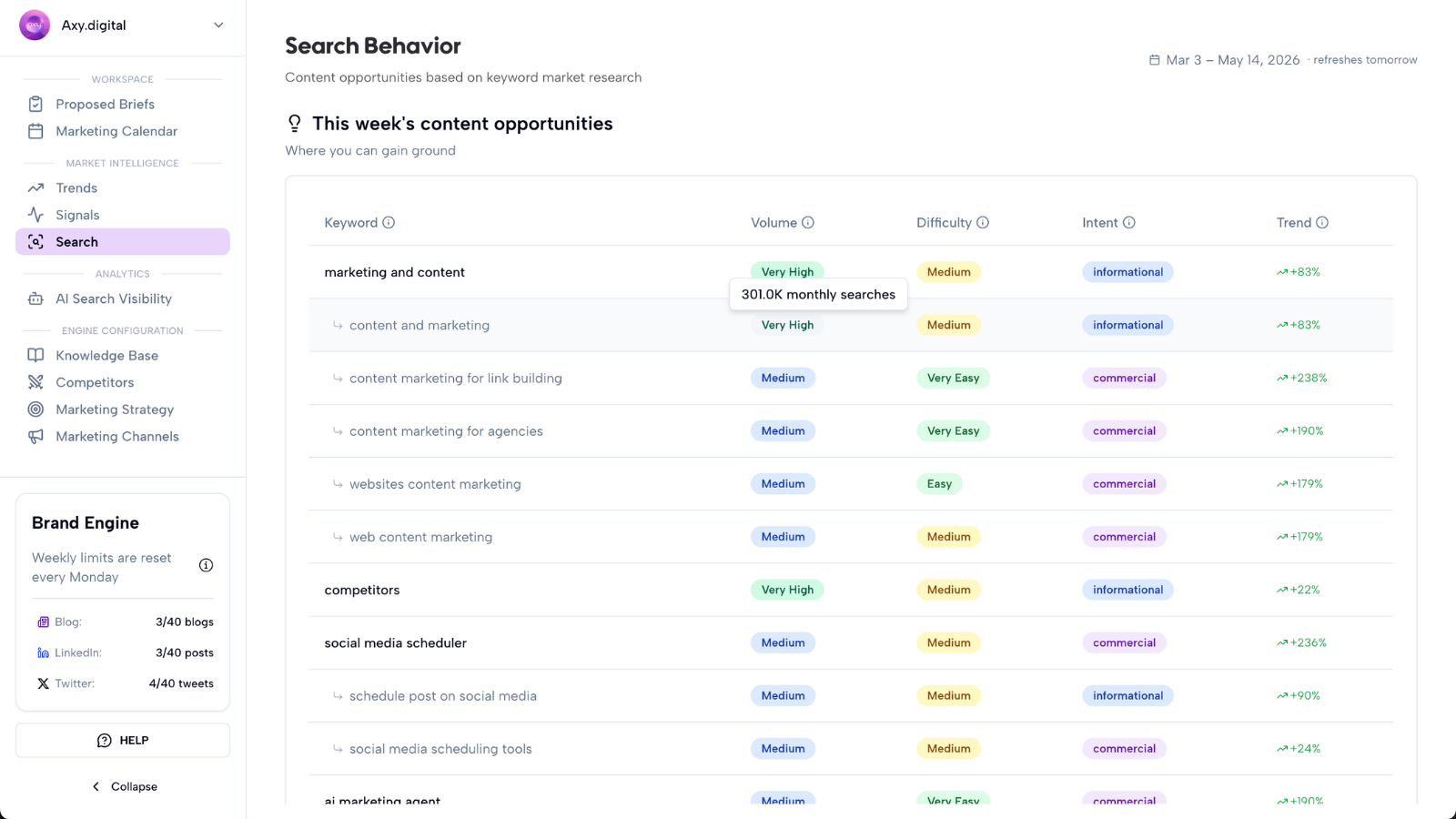
Step 4: Review Search
The Search section shows where demand exists and which content opportunities Axy.digital should prioritize.
Axy.digital identifies this week’s content opportunities based on:
- Search volume
- Keyword difficulty
- Search intent
- Monthly search volume trend
- Competitor ownership
- Realistic ranking and citation opportunities
Axy.digital uses this search intelligence to prioritize proposed briefs for GEO articles, AEO content, SEO articles, comparison pages, use-case pages, FAQs, LinkedIn posts, X threads, and full campaigns.
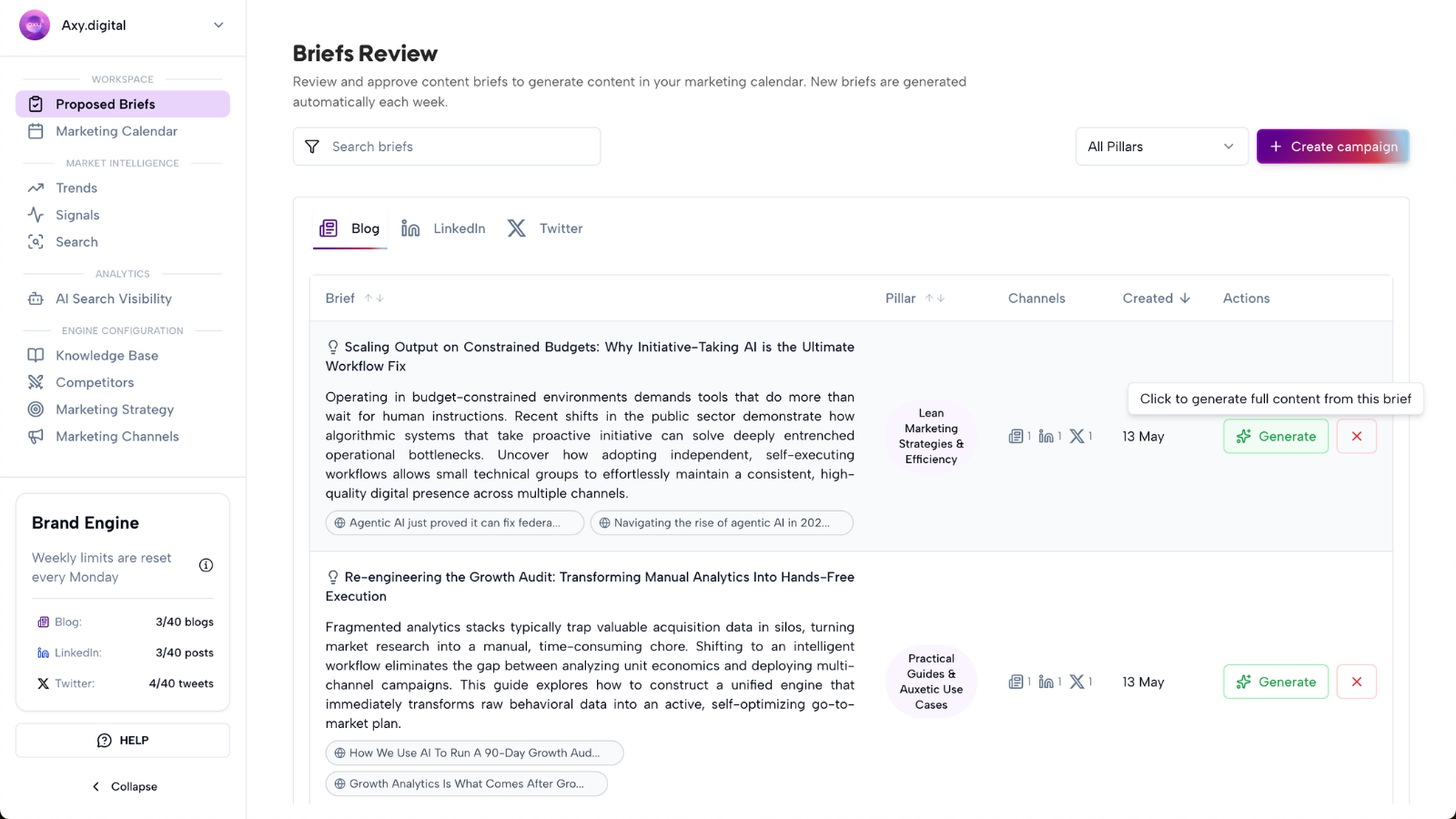
Step 5: Review Proposed Briefs
The Market Intelligence Dashboard does not just surface insights. It turns insights into proposed campaign briefs.
A proposed brief can be based on:
- A market signal
- A trend gaining momentum
- A search demand opportunity
- An AI visibility gap
- A competitor update
- A social trend
- A news headline
Open Workspace → Proposed Briefs to review the campaign ideas Axy.digital has identified.
Step 6: Generate campaigns from intelligence
When you find a brief you want to act on, click Generate.
Axy.digital uses:
- The source insight
- Your approved marketing strategy
- Your channel plans
- Your channel guidelines
- Your competitors
- Your knowledge base
- Your website index
- Your AI visibility data
Generated content is then moved into your Marketing Calendar for review, editing, approval, scheduling, publishing, or export.
FAQ
What is the Market Intelligence Dashboard for?
The Market Intelligence Dashboard helps you understand what your market is reacting to, how narratives are evolving, and where search demand is creating content opportunities. Axy.digital uses this intelligence to suggest campaign briefs.
How is Market Intelligence different from a normal analytics dashboard?
Most analytics dashboards show what already happened. Axy.digital’s Market Intelligence Dashboard helps you decide what to create next based on market signals, trends, search demand, and competitor movement.
Do I need to manually turn insights into content?
No. Axy.digital turns relevant insights into proposed briefs. You review the briefs and click Generate on the campaigns you want to create.
Where does generated content go?
Generated content is added to your Marketing Calendar for review, editing, approval, scheduling, publishing, or export.
Best practices
Check the dashboard weekly
Use Market Intelligence as your weekly planning layer instead of starting from a blank content calendar.
Review all three sections together
Signals show what is happening now. Trends show how topics are evolving. Search shows where demand exists.
Prioritize briefs connected to demand
The strongest briefs are usually supported by market relevance, search demand, AI visibility gaps, or competitor movement.
Keep your strategy updated
Better strategy and channel guidelines lead to better campaign recommendations.