
Core Product Tutorials
How to Manage Multiple Brands in Axy.digital
Axy.digital lets you manage multiple brands by creating separate organisations. Each organisation has its own workspace, strategy, knowledge base, competitors, website index, channel plans, language settings, campaigns, and marketing calendar. This is important because Axy.digital customizes the engine for each brand. If you manage multiple companies, clients, or portfolio brands, each one should have its own organisation.
On this page
Before you start
Make sure you know which brand, client, or company you want to set up. For each organisation, you should have:
- Website URL
- Social channels
- Brand materials
- Product or service information
- Competitors
- Marketing strategy
- GEO, LinkedIn, and X plans
- Target geography and language preferences
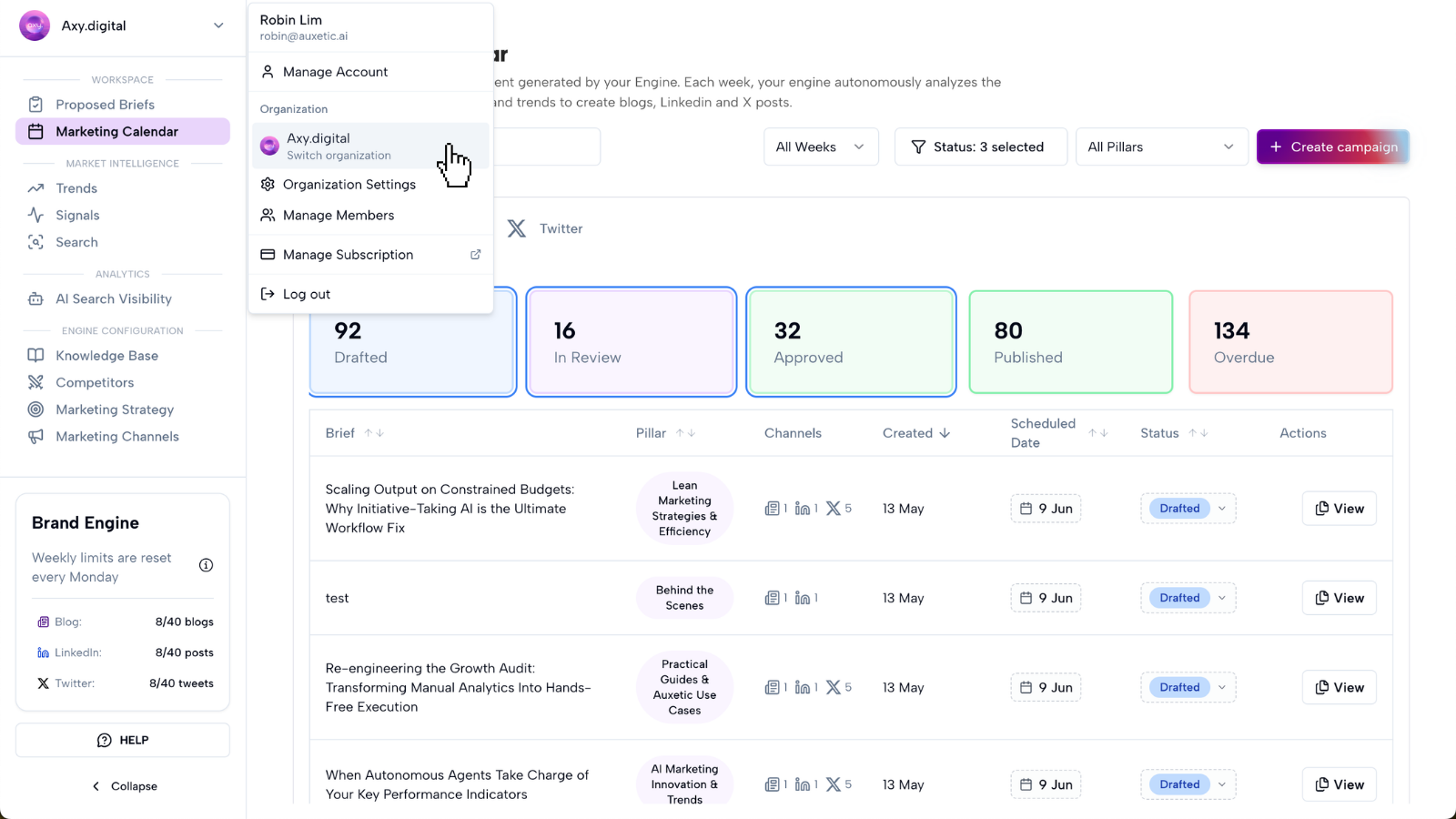
Step 1: Create a new organisation
To manage a new brand, create a new organisation.
Each organisation should represent one brand, company, client, or portfolio business.
Do not use one organisation for multiple brands unless they share the same website, strategy, audience, competitors, and content engine.
Axy.digital customizes each organisation separately, so keeping brands separate helps the engine generate more accurate campaigns.
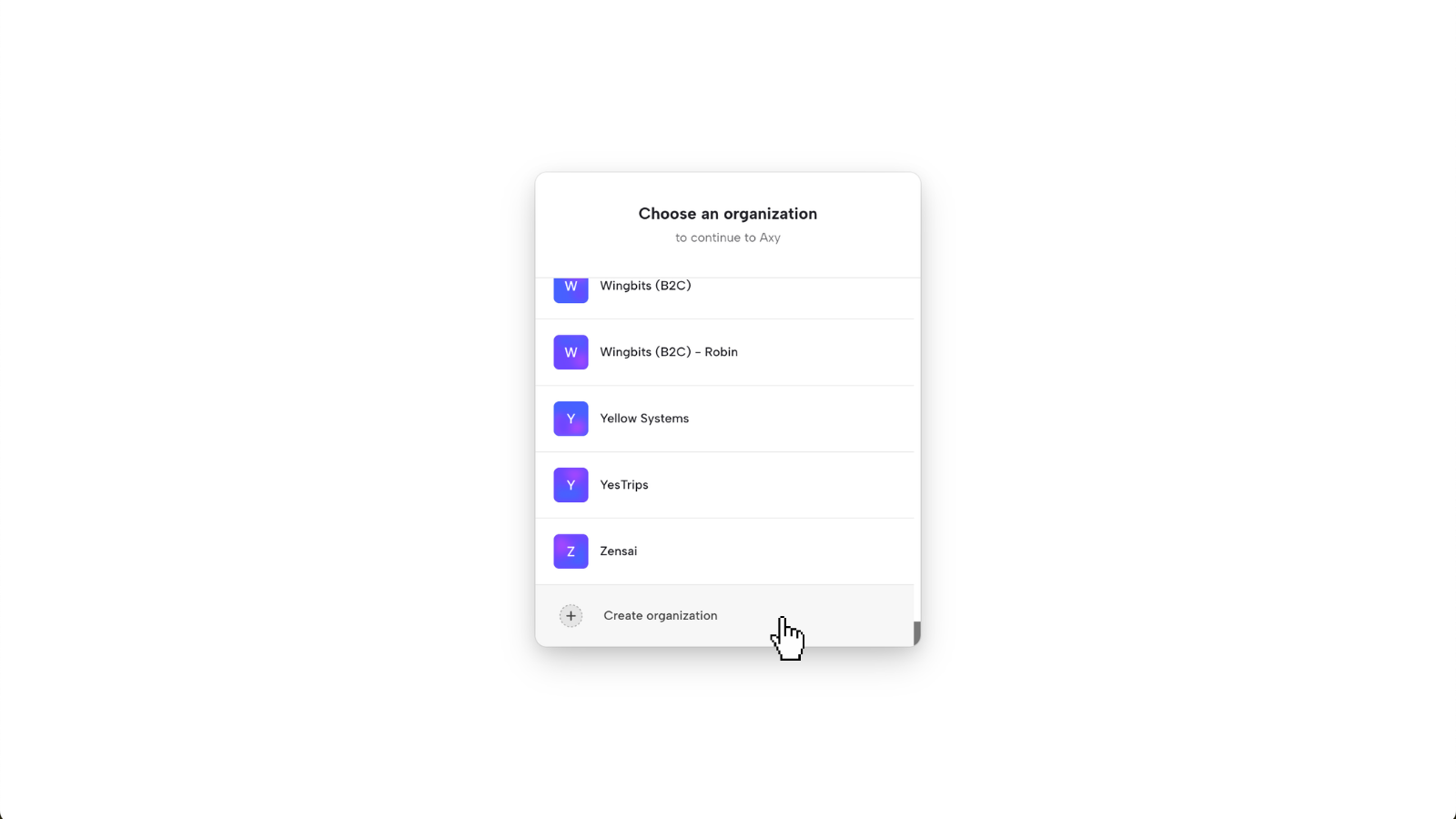
Step 2: Set up the organisation for that brand
Once the organisation is created, complete onboarding for that brand. Axy.digital will analyze:
- Website
- Social channels
- Uploaded resources
- Online materials
- Competitors
- Brand positioning
- Target audience
- Channel plans
- Website pages for internal linking
This creates a dedicated engine for that brand.
Step 3: Switch between organisations
You can switch between organisations from the top-left corner of your workspace.
Use the organisation switcher to move between brands, clients, or portfolio companies.
When you switch organisations, you are switching into that brand's dedicated engine. This means you will see that organisation's:
- Strategy
- Knowledge base
- Market intelligence
- AI visibility reports
- Proposed briefs
- Campaigns
- Marketing calendar
- Channel plans
- Performance data
Step 4: Keep each brand's context separate
Each organisation should have its own context. This includes:
- Marketing strategy
- Audience
- Competitors
- Website index
- Product information
- Brand voice
- Channel guidelines
- Geographic focus
- Language preferences
- Campaign history
- Performance data
This prevents Axy.digital from mixing messaging, competitors, audiences, or content styles across brands.
For example, an agency managing a cybersecurity company and a wellness brand should create two separate organisations, because the markets, language, competitors, and content strategy are completely different.
Step 5: Generate campaigns inside the right organisation
Before generating content, make sure you are inside the correct organisation. Campaigns generated inside an organisation will use that organisation's:
- Approved strategy
- Website index
- Knowledge base
- Competitor list
- Market intelligence
- AI visibility data
- Channel plans
- Channel guidelines
- Language and geography settings
This ensures the campaign is aligned with the correct brand.
Step 6: Review each organisation separately
Each organisation has its own Marketing Calendar and campaign workflow.
Review generated content inside the correct organisation before approving, scheduling, publishing, or exporting.
This is especially important for agencies, studios, and venture teams managing multiple brands.
FAQ
Why should I create separate organisations for each brand?
Each organisation is customized per brand. Axy.digital uses that brand's website, strategy, competitors, knowledge base, channel plans, and performance data to generate campaigns. Keeping brands separate prevents mixed context and improves output quality.
Can I manage clients in separate organisations?
Yes. Agencies and studios can create a separate organisation for each client.
Where do I switch organisations?
Use the organisation switcher in the top-left corner of your workspace.
What happens when I switch organisations?
You move into that brand's dedicated workspace, including its strategy, reports, proposed briefs, campaigns, and marketing calendar.
Should sub-brands have separate organisations?
If the sub-brand has a different audience, website, positioning, geography, language, or campaign strategy, create a separate organisation. If it shares the same strategy and audience, it can usually stay in the same organisation.
Best practices
Create one organisation per brand
This keeps each engine clean and focused.
Check the organisation before generating content
Make sure you are in the right workspace before creating campaigns.
Keep each brand's strategy updated
Each organisation should have its own current positioning, competitors, and channel guidelines.
Use separate organisations for clients
Agencies should avoid mixing client work inside one organisation.
Treat each organisation as its own engine
Axy.digital works best when each brand has its own dedicated strategy, data, and campaign history.