
Core Product Tutorials
How to Read Market Signals in Axy.digital
The Signals section shows what is creating attention, urgency, or conversation in your market. Axy.digital pulls signals from news, research, LinkedIn, X, and competitor updates, then identifies which signals are relevant enough to become campaign opportunities. Use this section to understand what your audience is already reacting to and where your brand can add a useful point of view.
On this page
Before you start
Make sure you have:
- Completed onboarding
- Approved your marketing strategy
- Selected competitors
- Reviewed your channel plans
- Added relevant resources to your knowledge base
Signals become more relevant when Axy.digital understands your market, audience, competitors, and positioning.
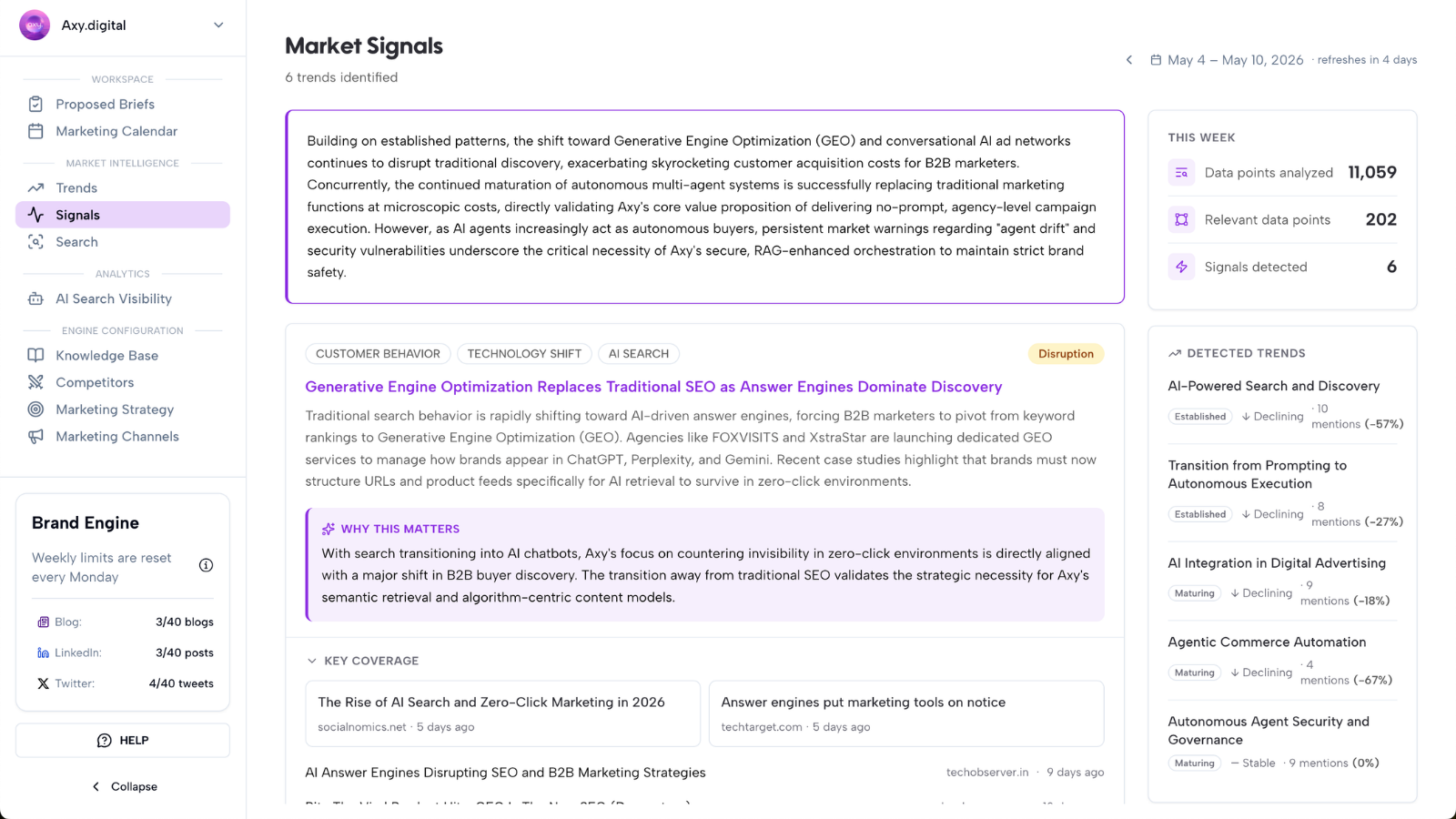
Step 1: Open Signals
From your Market Intelligence Dashboard, open the Signals section.
This section gives you a weekly deep-dive analysis of what your market is reacting to.
Axy.digital pulls signals from:
- News headlines
- Research
- X
- Competitor updates
Each signal represents something that could influence customer attention, buyer priorities, market narratives, or campaign opportunities.
Step 2: Review this week’s signals
Start with the current week.
Review each signal and ask:
- Is this relevant to our audience?
- Is this connected to our product or category?
- Is this something our customers are already reacting to?
- Can we add a useful point of view?
- Does this support a campaign, article, or social post?
- Is this signal urgent, strategic, or recurring?
Examples of signals include:
- A regulatory change
- A funding announcement
- A new research report
- A competitor launch
- A high-engagement LinkedIn discussion
- An X debate
- A customer pain point gaining attention
- A shift in category language
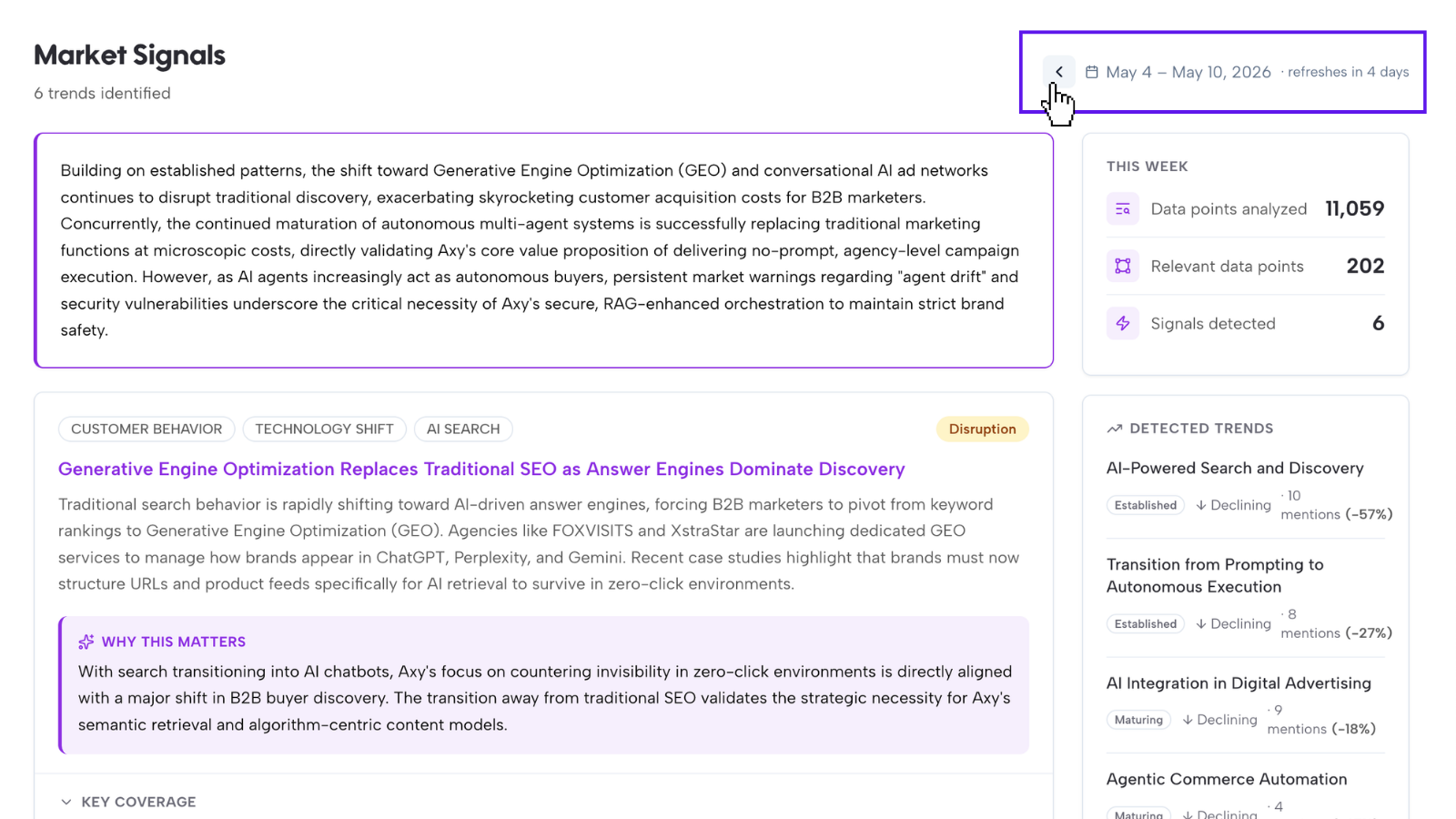
Step 3: Toggle to previous weeks
You can toggle to previous weeks to review past signals. This helps you understand how topics have evolved over time.
Use previous weeks to see whether a topic is:
- A one-off spike
- An early signal
- An emerging trend
- An established narrative
- A recurring market concern
- A fading conversation
This is useful because not every signal deserves immediate action. Some signals are short-lived. Others repeat over time and become stronger campaign opportunities.
Step 4: Identify signal momentum
When reviewing signals across weeks, look for momentum. A signal is gaining momentum when it appears across multiple weeks, sources, or channels.
For example, a topic becomes more important when it appears in:
- News headlines
- Research reports
- LinkedIn posts
- X discussions
- Competitor content
- Search demand
- AI visibility gaps
A signal with momentum is usually more valuable than a one-off mention.
Step 5: Decide whether the signal should become a campaign
Not every signal needs a campaign. Prioritize signals that are:
- Relevant to your ICP
- Connected to your product
- Timely
- Supported by search demand
- Connected to an AI visibility gap
- Under-served by competitors
- Useful for thought leadership
- Strong enough to distribute across GEO, LinkedIn, or X
Axy.digital turns the strongest signals into proposed briefs inside your workspace.
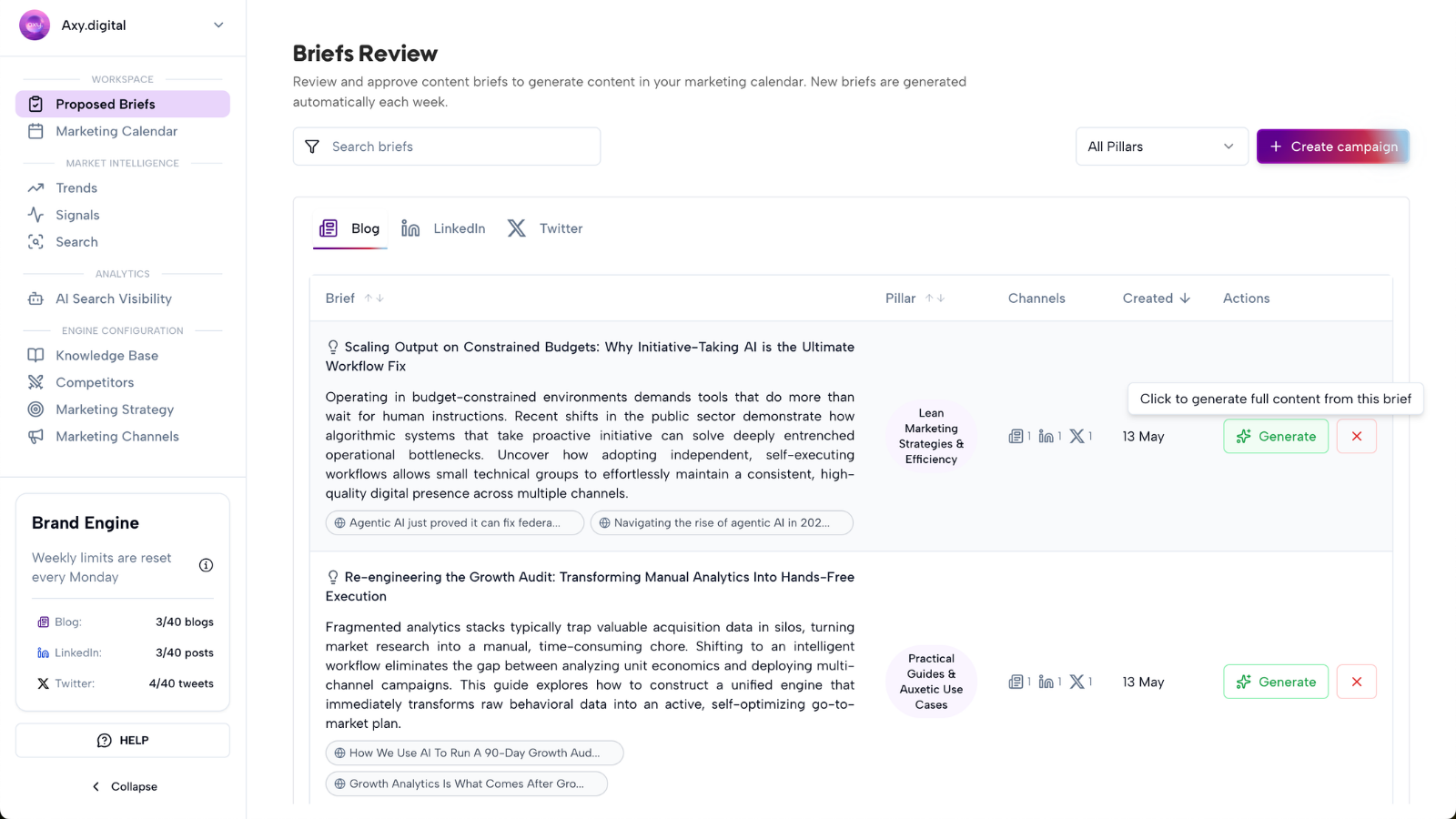
Step 6: Review signal-based Proposed Briefs
When Axy.digital identifies a signal worth acting on, it creates a campaign brief in Workspace → Proposed Briefs.
The brief includes:
- Campaign topic
- Source signal
- Target audience
- Suggested angle
- Why the campaign matters
- Recommended channel
- Search or prompt opportunity
- Competitor context
- Suggested CTA
- Internal link opportunities
Review the brief and click Generate if you want Axy.digital to create the campaign.
Step 7: Generate content from the signal
When you click Generate, Axy.digital turns the signal into channel-ready content.
Depending on the opportunity, Axy.digital can generate:
- GEO articles
- AEO answer content
- SEO articles
- LinkedIn posts
- X posts
- X threads
- Founder commentary
- Product education posts
- Full cross-channel campaigns
Generated content is added to your Marketing Calendar.
FAQ
What counts as a market signal?
A market signal is any event, trend, conversation, or competitor movement that could create a campaign opportunity. Examples include news headlines, research reports, social conversations, competitor updates, regulatory changes, and customer pain points.
Why should I review previous weeks?
Reviewing previous weeks helps you see whether a signal is gaining momentum, repeating, fading, or becoming an established market narrative.
Should I act on every signal?
No. Prioritize signals that are relevant to your audience, connected to your product, and useful for your current marketing goals.
Where do signal-based campaigns appear?
Signal-based campaign ideas appear in Workspace → Proposed Briefs. Generated content appears in your Marketing Calendar.
Best practices
Look for recurring signals
Recurring signals are often stronger than one-off spikes.
Connect signals to your strategy
A signal is only useful if your company has a credible point of view or product connection.
Act early on emerging topics
Early signals can help you publish before a narrative becomes crowded.
Use past signals to understand momentum
Reviewing previous weeks helps you avoid chasing short-lived noise.
Turn strong signals into cross-channel campaigns
A strong signal can become a GEO article, LinkedIn post, X thread, or full campaign.