
Getting Started
How to Populate Your Knowledge Base
Your website is the first source of truth Axy.digital uses to understand your business. When you add your website URL during onboarding, Axy.digital analyzes your public presence, discovers your social channels, indexes the pages on your site, and begins generating your company profile. This profile becomes part of your Engine context and helps Axy.digital generate more relevant strategy, market intelligence, AI visibility analytics, and campaigns.
On this page
- Before you start
- Step 1: Enter your website URL
- Step 2: Let Axy.digital analyze your website
- Step 3: Axy.digital indexes your site pages
- Step 4: Review discovered social channels
- Step 5: Add additional resources
- Step 6: Review your generated marketing strategy
- Step 7: Approve or update the strategy
- FAQ
- Best practices
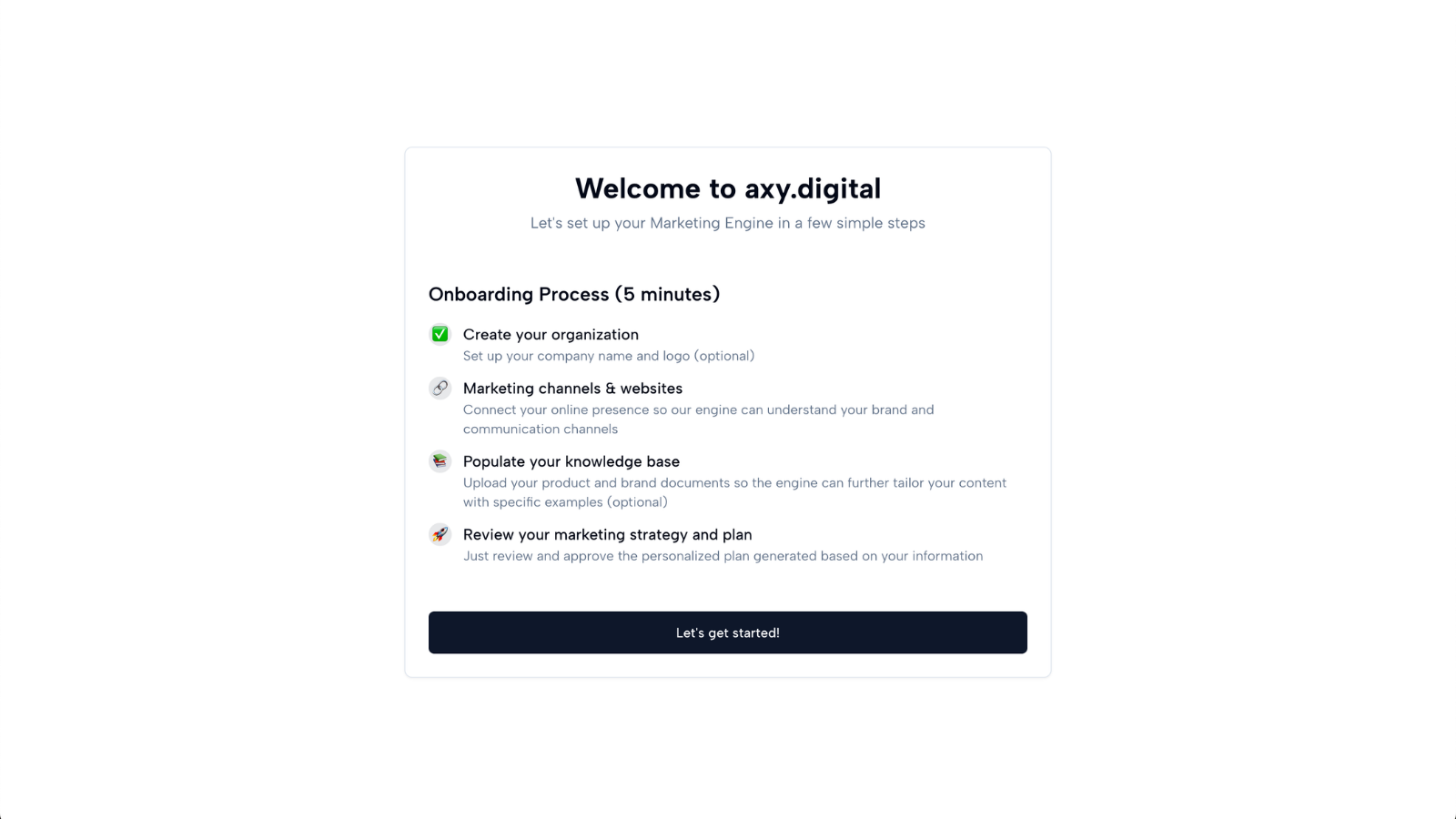
Before you start
You will need:
- Your company website URL
- Any additional URLs you want Axy.digital to analyze
- Optional resources like documentation pages, GitHub repositories, decks, whitepapers, product pages, blog links, or case studies
You do not need a perfect website to use Axy.digital. The goal is to give the engine a strong starting point.
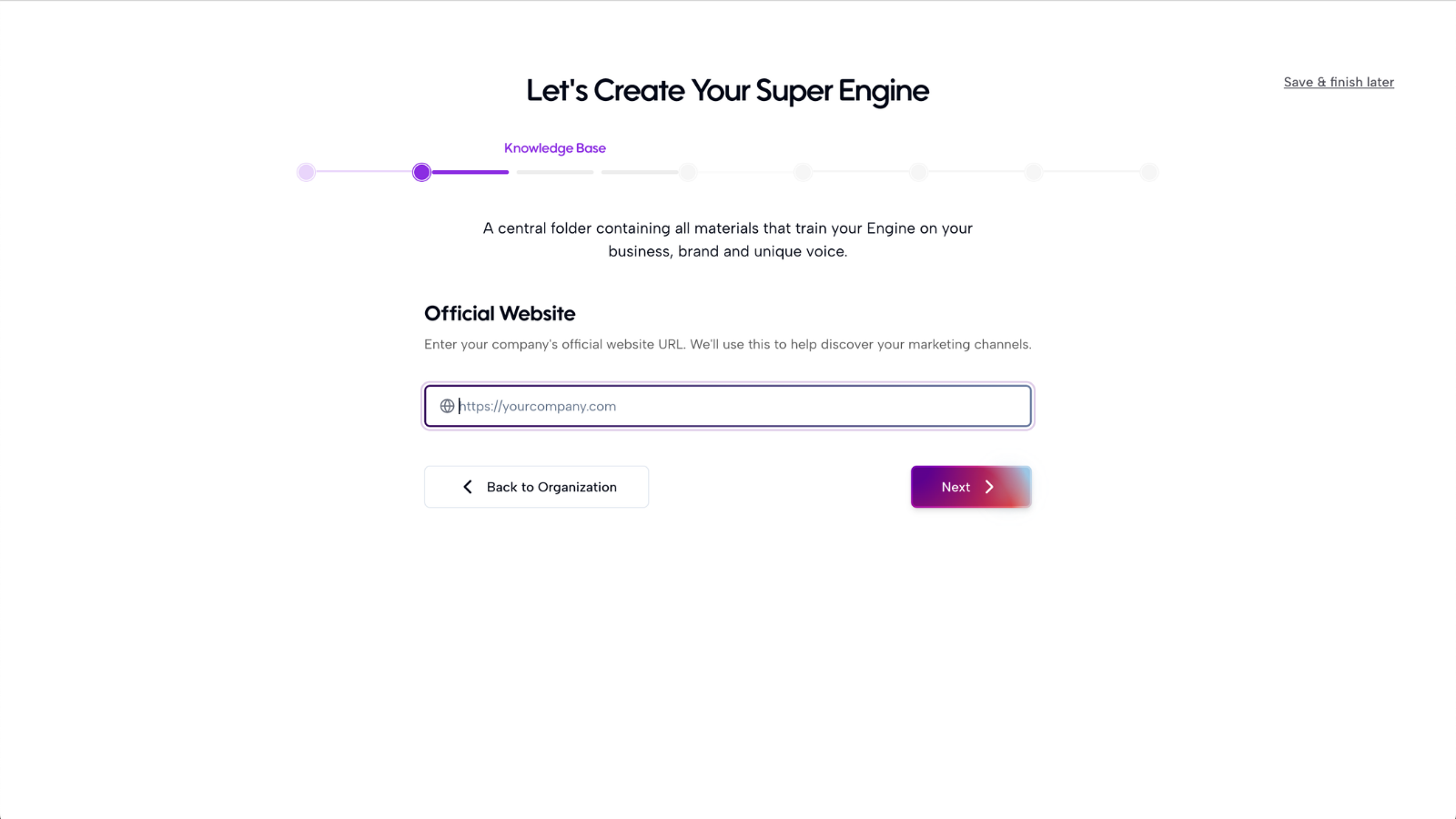
Step 1: Enter your website URL
On the onboarding page, enter your main company website. Use the URL that best represents your business today. For most companies, this will be your homepage.
Example: https://yourcompany.com
Once you submit the URL, Axy.digital will begin analyzing your website.
Step 2: Let Axy.digital analyze your website
Axy.digital reviews your website to understand your company context. It looks for signals such as:
- What your company does
- Your product or service category
- Your target audience
- Your existing messaging
- Your main use cases
- Your product pages
- Your blog or content library
- Your calls to action
- Your positioning and differentiators
This gives Axy.digital the foundation it needs to generate your company profile.
Step 3: Axy.digital indexes your site pages
In addition to reading your website, Axy.digital indexes the pages on your site. This gives the engine a map of your existing content, including:
- Homepage
- Product pages
- Use-case pages
- Blog posts
- Case studies
- Tutorials
- Resource pages
- Documentation pages
Axy.digital uses this site index to recommend internal links when generating future campaigns. For example, if Axy.digital generates a GEO article about AI visibility, it can suggest links to your AI Visibility Analytics product page, related tutorials, relevant comparison pages, and case studies. This helps every new campaign strengthen your existing content architecture instead of creating disconnected pages.
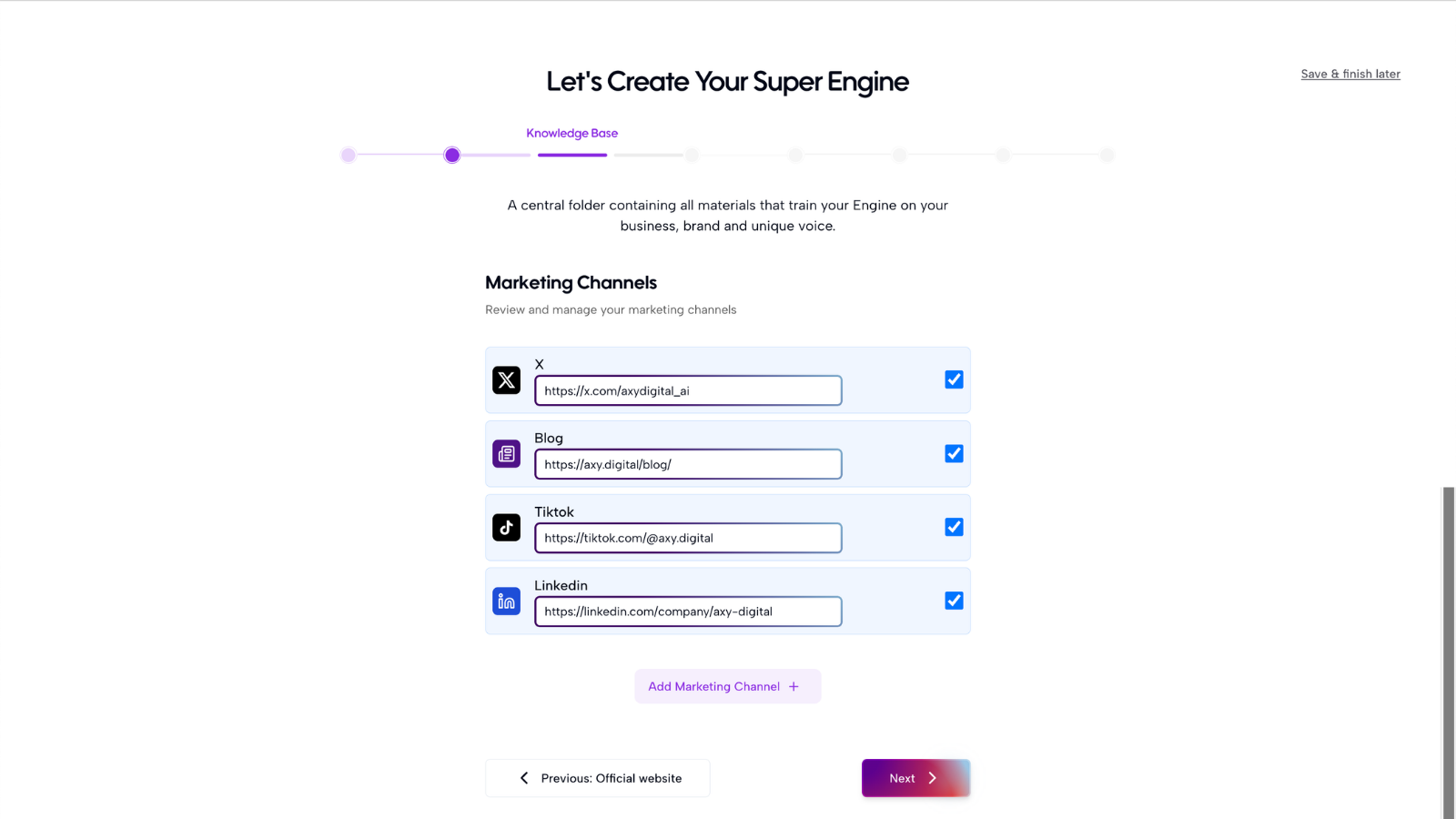
Step 4: Review discovered social channels
Axy.digital will automatically detect social channels connected to your website and public presence. These may include:
- LinkedIn company page
- Founder LinkedIn profiles
- X/Twitter accounts
- YouTube
- Other relevant channels
Review the channels Axy.digital finds. If a channel is missing, add it manually. Axy.digital will analyze your social pages to understand your current messaging, audience, posting style, content history, and channel activity.
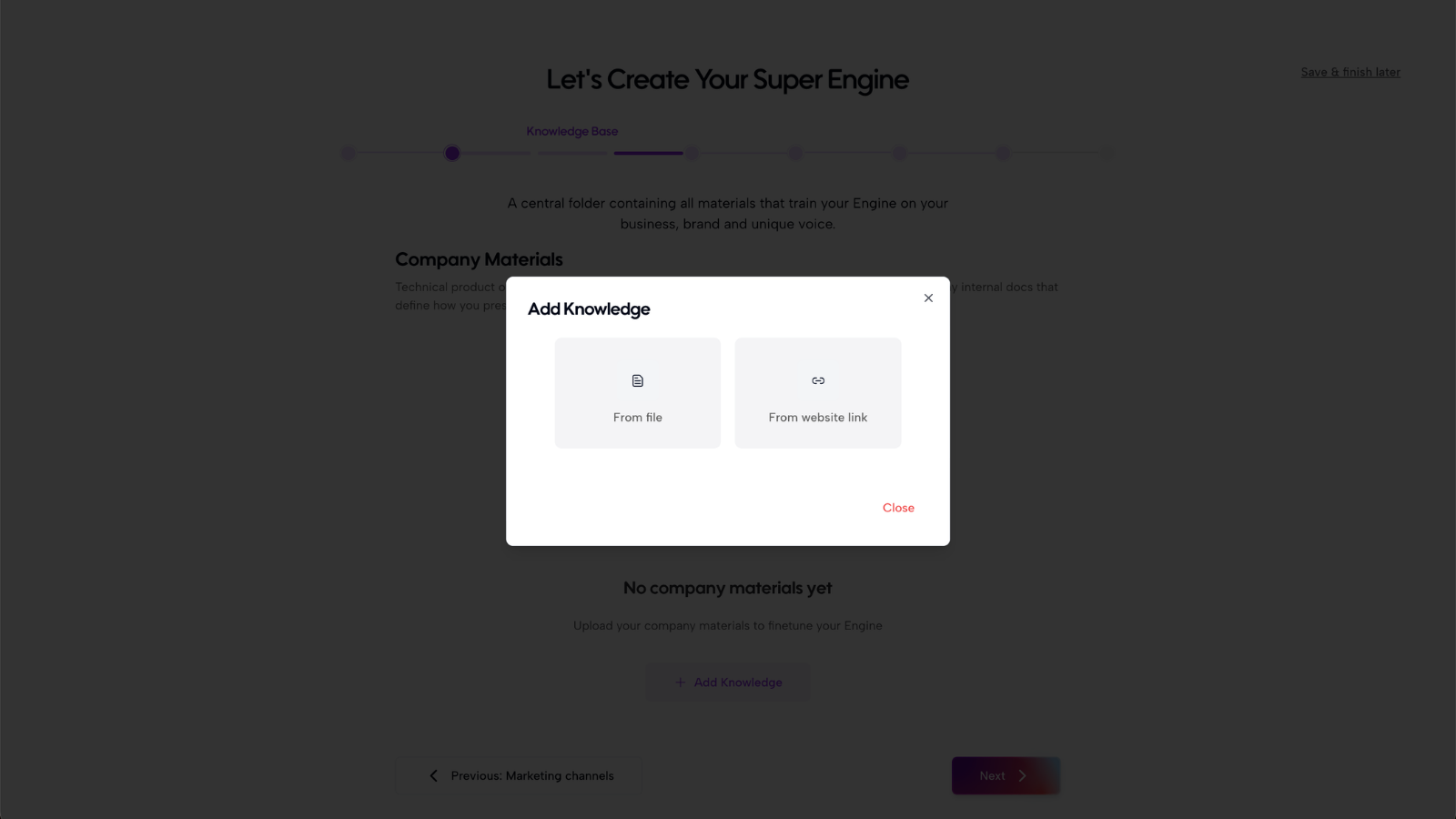
Step 5: Add additional resources
To improve the quality of your company profile, add any resources that help explain your business in more depth. Useful resources include:
- Product documentation
- GitHub repositories
- Whitepapers
- Pitch decks
- Sales decks
- Blog posts
- Case studies
- Help center pages
- Technical documentation
- Brand guidelines
- Public reports
These resources help Axy.digital build a richer knowledge base. For example, your website may explain what your product does, while your whitepaper may explain your market thesis, your GitHub may show technical depth, and your deck may explain your positioning more clearly. You do not need to add everything during onboarding. You can always add more resources later.
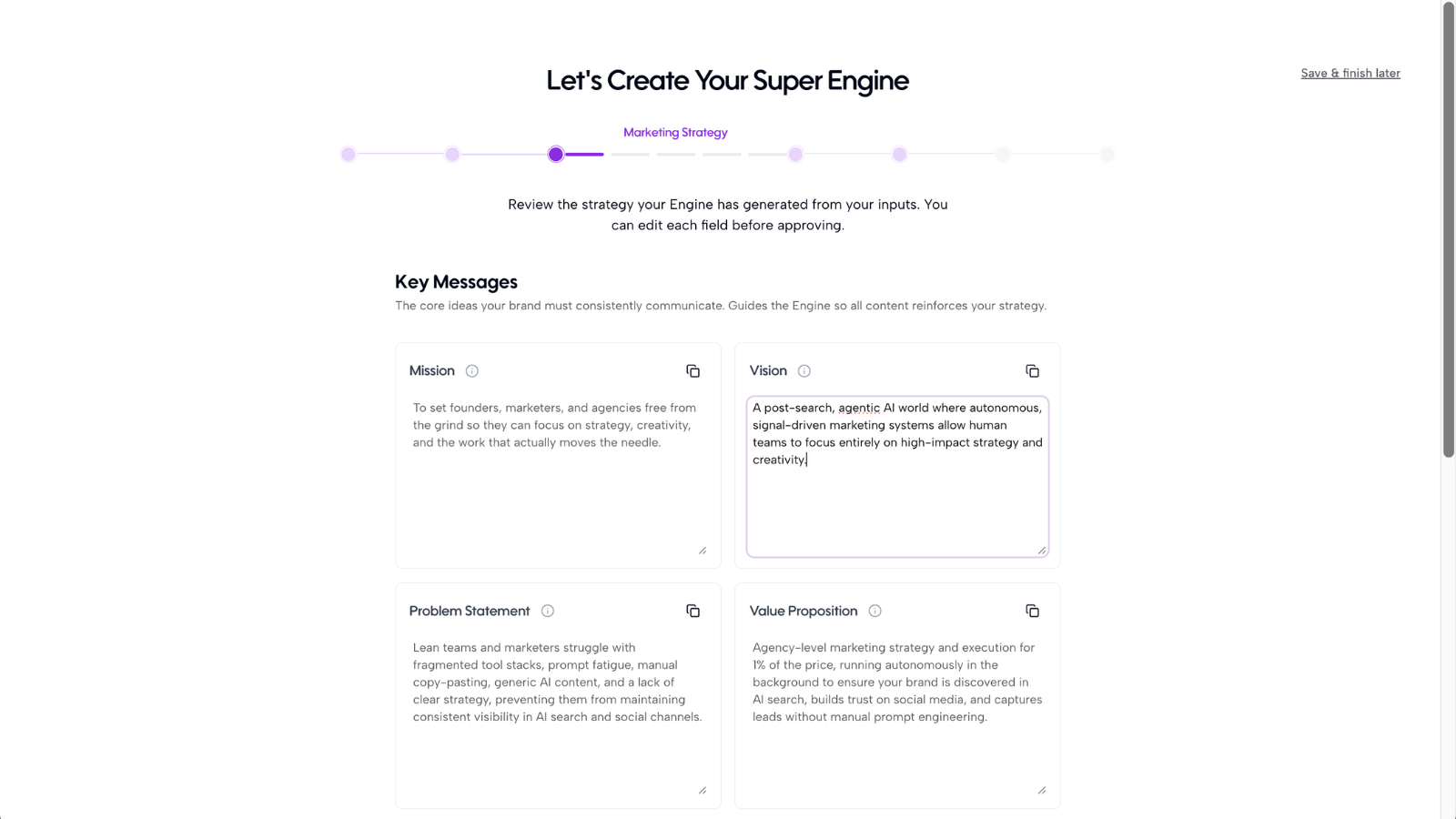
Step 6: Review your generated marketing strategy
Once Axy.digital has analyzed your website, indexed your pages, reviewed your social channels, and processed your resources, it will generate a company profile. This may include:
- Vision
- Mission
- Problem statement
- Value proposition
- Product statement
- Target audience
- Key use cases
- Brand positioning
- Personality and tone
Review the profile for accuracy. You can edit anything that feels wrong, outdated, or incomplete.
Step 7: Approve or update the strategy
If the generated strategy looks directionally correct, approve it and continue onboarding. If something is inaccurate, update it before moving forward. Common edits include:
- Clarifying the company description
- Updating the target audience
- Correcting product names
- Adding missing use cases
- Removing irrelevant language
- Making the positioning more specific
- Adding important product or category details
Your profile does not need to be perfect. You can always update it later.
FAQ
What if my website is outdated?
That is okay. Axy.digital can still use your website as a starting point. You should add more current resources, such as decks, docs, whitepapers, or product pages, to give the engine better context. If your website does not reflect your latest positioning, edit the generated company profile before approving it.
Why does Axy.digital index my website pages?
Axy.digital indexes your site so it can understand what content already exists and recommend relevant internal links in future campaigns. This is useful for GEO, AEO, SEO, and content strategy because your campaigns should not exist in isolation. When Axy.digital knows your existing product pages, use-case pages, tutorials, comparison pages, and case studies, it can suggest links that help readers move through your site and help search engines and AI systems understand your topical authority.
Best practices
Add the most complete URL first
Use the main website that best represents your business, not a temporary landing page unless that is your current source of truth.
Add supporting resources
Your website alone may not contain enough strategic context. Add docs, decks, whitepapers, GitHub repositories, or product pages where possible.
Review for direction, not perfection
The company profile should be accurate enough to guide Axy.digital. It does not need to be a polished brand document.
Keep your profile updated
When your product, positioning, or audience changes, update your company profile so future strategy and content stay aligned.
Let your site index support future campaigns
Once your pages are indexed, Axy.digital can recommend internal links in future campaigns. Review these links before publishing to make sure they are accurate and useful.
Once your website and company profile are approved, continue to your competitor setup.
Recommended next