
Core Product Tutorials
How to Read Search Trends in Axy.digital
The Search section shows where demand exists in your market and which content opportunities Axy.digital should prioritize. Axy.digital analyzes keyword volume, difficulty, search intent, trend momentum, and competitor ownership to identify where your brand can realistically gain ground. This helps your content engine focus on opportunities with real demand, not random topics.
On this page
- Before you start
- Step 1: Open Search
- Step 2: Review this week’s content opportunities
- Step 3: Understand volume
- Step 4: Understand difficulty
- Step 5: Understand search intent
- Step 6: Review monthly search volume trend
- Step 7: Review Industry Keyword Analysis
- Step 8: Understand owned keywords
- Step 9: Understand contested keywords
- Step 10: Understand competitor-owned keywords
- Step 11: Understand unowned opportunities
- Step 12: Generate campaigns from search opportunities
- FAQ
- Best practices
Before you start
Make sure you have:
- Completed onboarding
- Approved your marketing strategy
- Selected competitors
- Reviewed your GEO / AEO / SEO plan
- Added your website so Axy.digital can index your pages
- Added relevant resources to your knowledge base
Search opportunities become more useful when Axy.digital understands your positioning, competitors, and current content.
Step 1: Open Search
From your Market Intelligence Dashboard, open the Search section.
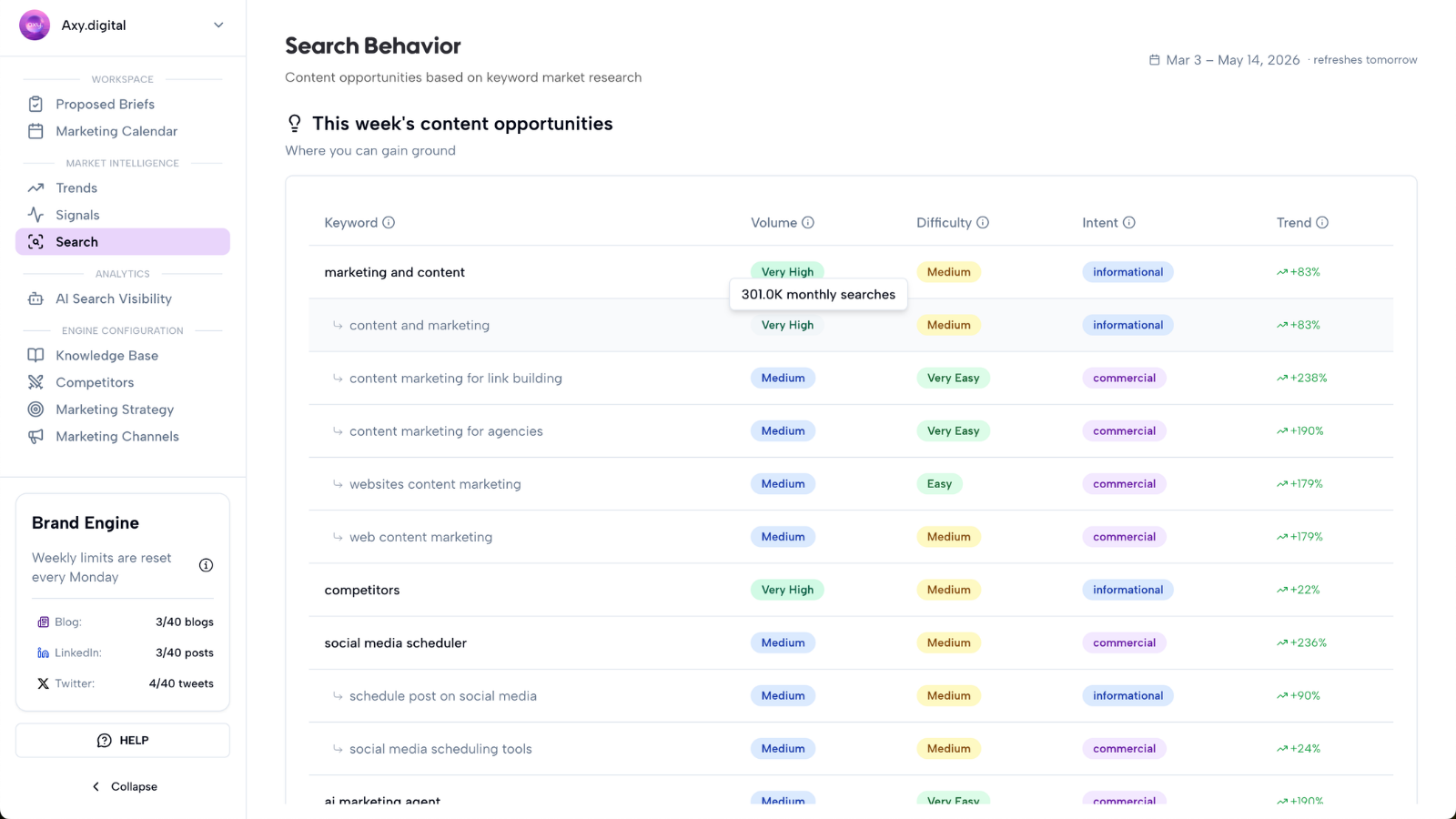
This section gives you a weekly breakdown of search behavior in your industry. Axy.digital uses this data to identify content opportunities and prioritize which proposed briefs should be generated first.
Step 2: Review this week’s content opportunities
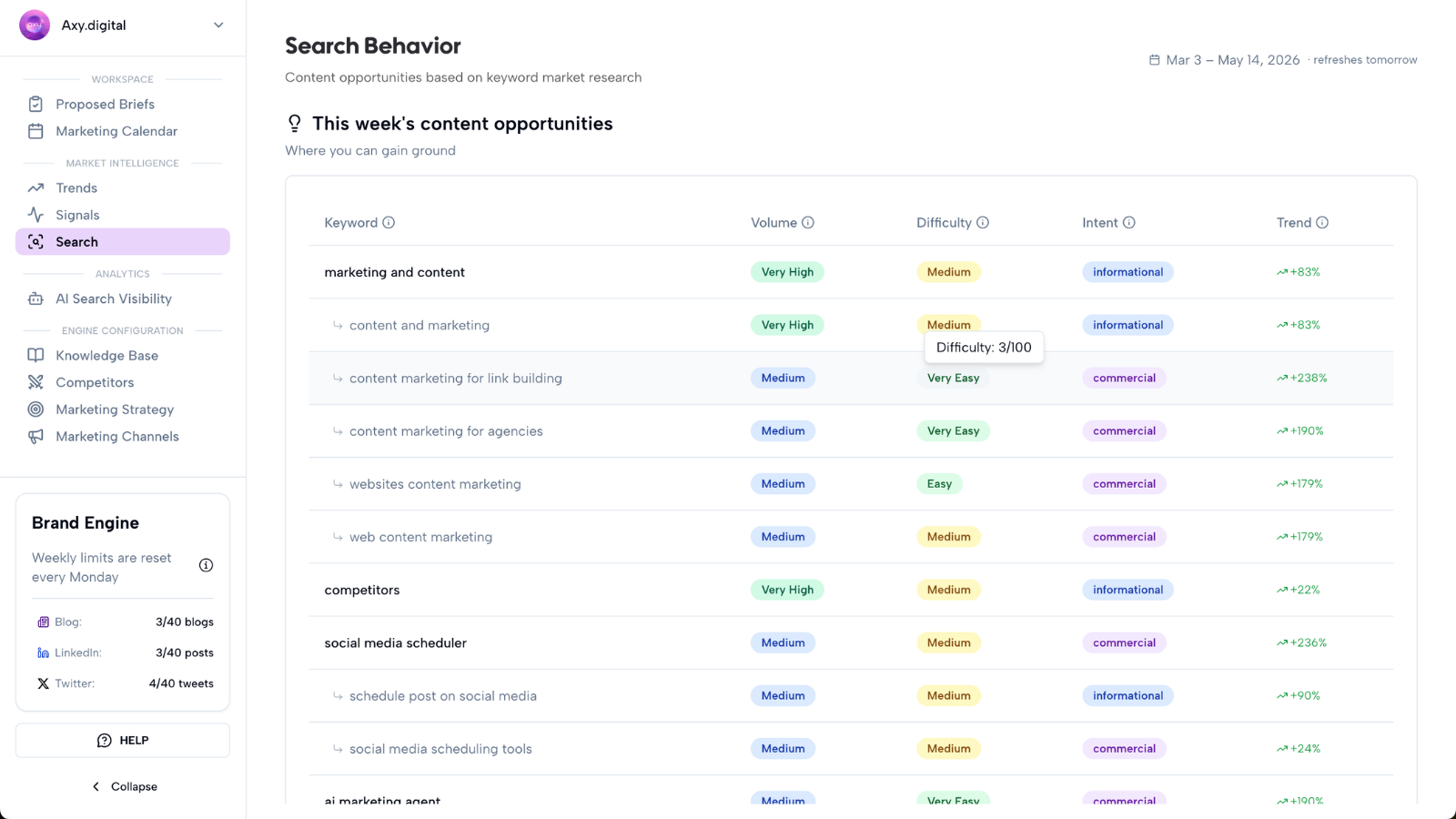
Axy.digital identifies this week’s content opportunities by finding keywords and prompts where your brand can realistically gain ground.
These opportunities are selected based on four main factors:
- Volume
- Difficulty
- Search intent
- Monthly search volume trend
Axy.digital uses these keywords to prioritize what content to create next. This means search intelligence directly influences proposed briefs for GEO articles, AEO answer content, SEO articles, comparison pages, use-case pages, FAQs, LinkedIn posts, X threads, and full cross-channel campaigns.
Step 3: Understand volume
Volume refers to average monthly search volume on Google.
Axy.digital prioritizes keywords with enough demand to be worth acting on. Selected keywords are usually:
- Medium volume
- High volume
- Very high volume
This helps your content engine focus on topics people are already searching for. A keyword with no demand can still be strategically useful, but Axy.digital prioritizes opportunities with meaningful search activity.
Step 4: Understand difficulty
Difficulty shows how hard it is to rank for a keyword. It is scored from 0–100.
Axy.digital prioritizes keywords that are realistic to compete for, including:
- Very easy keywords
- Easy keywords
- Medium-difficulty keywords
This helps you avoid wasting effort on topics where entrenched competitors are too hard to displace immediately. The best opportunities often combine meaningful volume with realistic difficulty.
Step 5: Understand search intent
Search intent explains what the user is trying to do.
Axy.digital classifies search intent as:
- Informational: the user wants to learn something.
- Commercial: the user is researching options.
- Transactional: the user is ready to take action.
- Navigational: the user is looking for a specific brand, site, or page.
Each intent type supports different content. For example:
- Informational keywords can become tutorials, explainers, or GEO articles.
- Commercial keywords can become comparison pages, buyer guides, or use-case content.
- Transactional keywords can support product pages, pricing pages, or conversion-focused landing pages.
- Navigational keywords can reveal brand or competitor demand.
Step 6: Review monthly search volume trend
Axy.digital selects keywords with an increasing trend. This means the topic is gaining search momentum.
In the dashboard, you can hover to see:
- Monthly trend
- Quarterly trend
- Yearly trend
This helps you understand whether demand is growing temporarily or compounding over time. A keyword with increasing trend momentum is often a stronger opportunity than a flat or declining keyword.
Step 7: Review Industry Keyword Analysis
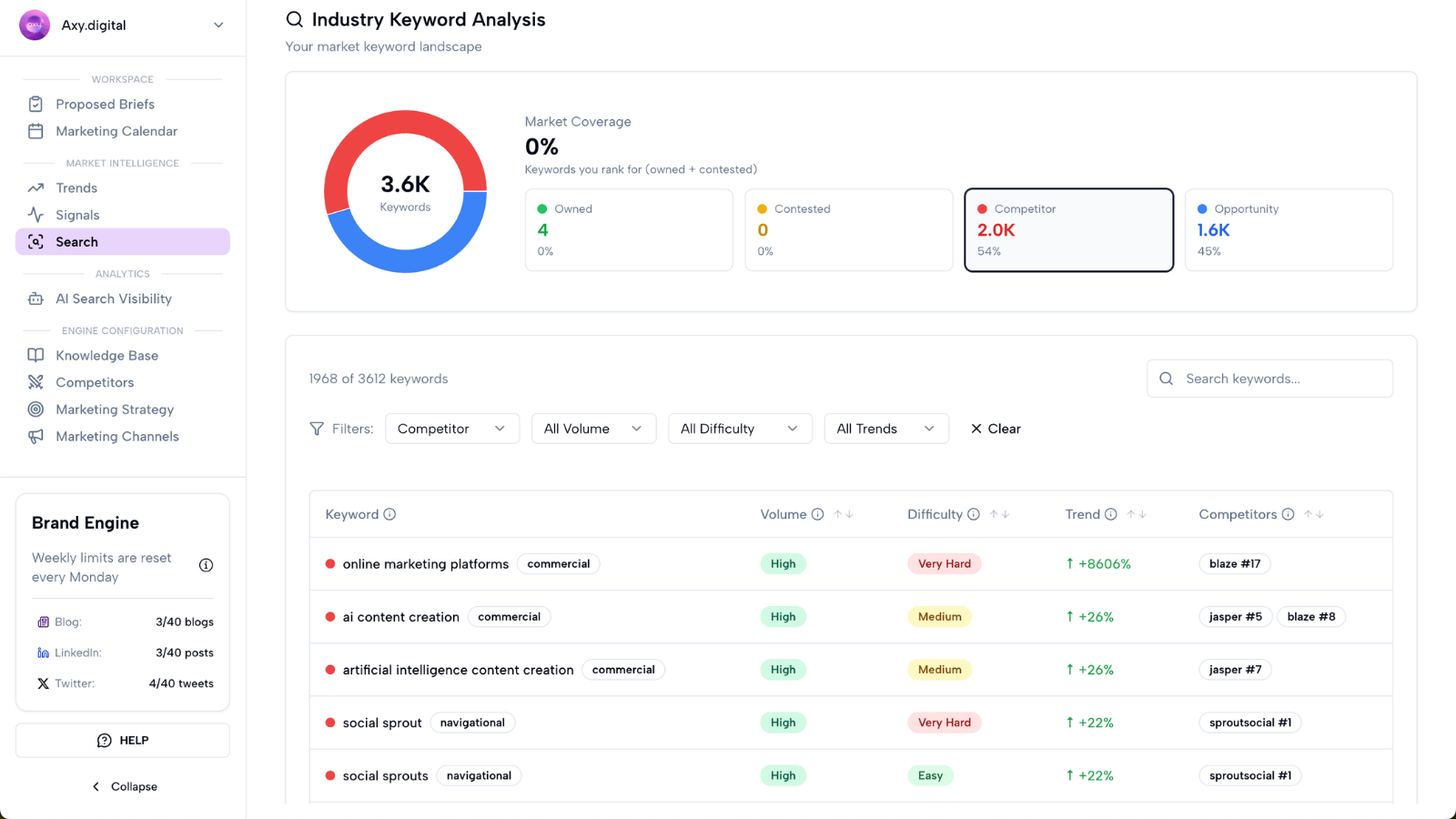
The Industry Keyword Analysis section maps your broader market keyword landscape.
It shows which keywords are:
- Owned by you
- Contested with competitors
- Owned by competitors
- Opportunities not owned by competitors
This helps you understand where your brand already has visibility, where competitors are ahead, and where open opportunities exist.
Step 8: Understand owned keywords
Owned by you means your brand already has visibility for the keyword.
For owned keywords, consider whether you should:
- Strengthen the page with internal links
- Refresh the content
- Add FAQs
- Repurpose the topic into social posts
- Build supporting content
- Protect your position from competitors
Owned keywords are not always “done.” They can often be strengthened.
Step 9: Understand contested keywords
Contested with competitors means you and competitors are both competing for visibility.
For contested keywords, consider whether you need:
- Stronger GEO content
- Better internal links
- Clearer differentiation
- Comparison content
- Use-case content
- A stronger CTA
- More specific examples or proof
Contested keywords are often good candidates for campaign briefs because they show real demand and competitive pressure.
Step 10: Understand competitor-owned keywords
Owned by competitors means competitors have stronger visibility for the keyword.
For competitor-owned keywords, review:
- Which competitors are ranking or being cited
- What content type they use
- Whether they have comparison or use-case pages
- Whether third-party sources support them
- Whether your site has a relevant page
- Whether you can create a better answer
These keywords can become strategic campaigns if the topic matters to your buyers.
Step 11: Understand unowned opportunities
Opportunities not owned by competitors are keywords with demand that competitors are not strongly owning yet. These can be valuable because the market opportunity exists, but the competitive landscape is more open.
For unowned opportunities, Axy.digital can prioritize briefs for:
- GEO articles
- SEO articles
- FAQ content
- Use-case pages
- Tutorials
- Social campaigns
- Full cross-channel campaigns
These are often good places to gain ground early.
Step 12: Generate campaigns from search opportunities
When Axy.digital identifies a strong search opportunity, it creates a proposed brief.
Open Workspace → Proposed Briefs to review search-backed campaign ideas.
Each brief includes:
- Target topic
- Keyword or prompt opportunity
- Search intent
- Suggested angle
- Recommended channel
- Why the campaign matters
- Competitor context
- Suggested CTA
- Internal link opportunities
Click Generate to create the campaign. Generated content is moved to your Marketing Calendar.
FAQ
How does Axy.digital decide which keywords to prioritize?
Axy.digital prioritizes keywords based on volume, difficulty, search intent, monthly search trend, competitor ownership, and strategic relevance to your brand.
What does keyword difficulty mean?
Keyword difficulty shows how hard it is to rank for a keyword on a 0–100 scale. Axy.digital prioritizes very easy, easy, and medium-difficulty keywords where your brand can realistically gain ground.
Why does Axy.digital only select keywords with increasing trends?
Increasing trends show that demand is growing. Axy.digital prioritizes topics with upward momentum so your content can capture demand while it is forming.
What is Industry Keyword Analysis?
Industry Keyword Analysis maps your market keyword landscape. It shows which keywords are owned by you, contested with competitors, owned by competitors, and open opportunities not owned by competitors.
How does Search connect to campaign generation?
Axy.digital uses search opportunities to prioritize proposed briefs. Those briefs become GEO articles, AEO content, SEO articles, social posts, and full campaigns.
Best practices
Prioritize rising demand
Focus on keywords and prompts with increasing search momentum.
Balance volume and difficulty
High-volume keywords are attractive, but realistic difficulty matters.
Match content to intent
Informational, commercial, transactional, and navigational keywords need different content.
Watch competitor-owned keywords
Competitor-owned keywords reveal where your brand may need better content or stronger positioning.
Act early on unowned opportunities
Open opportunities can help you gain ground before competitors dominate the topic.